Groupanda vs Slack
Slack is a workplace tool, priced per user. Groupanda is a space for a community, where the members pay for access instead. Two differences are countable rather than a matter of taste: what happens to your history when nobody is paying Slack, and who pays for whom.


What happens to your history on Slack's free plan?
Two things happen, on two different clocks. The first is well known. The second is the one that costs you the archive.
90 days, and the rest goes quiet
Slack shows and searches the last 90 days on the free plan. Past that it starts hiding older messages and files to make room for newer ones.
Hidden is not deleted, and that matters
Those messages are hidden rather than removed. Upgrade the workspace and they come back. On its own, the 90 day window is a paywall, not a loss.
One year, and it is a loss
Slack says messages and files more than one year old will be permanently deleted from free workspaces. That rule has applied since 26 August 2024, on a rolling basis. The clock does not stop because you meant to upgrade later.
Why a community feels this more than a team
A project ends and its archive stops mattering. A community is the opposite: the answer someone wrote two years ago is the reason newcomers stay. That is the part a free workspace loses first.
And in Groupanda
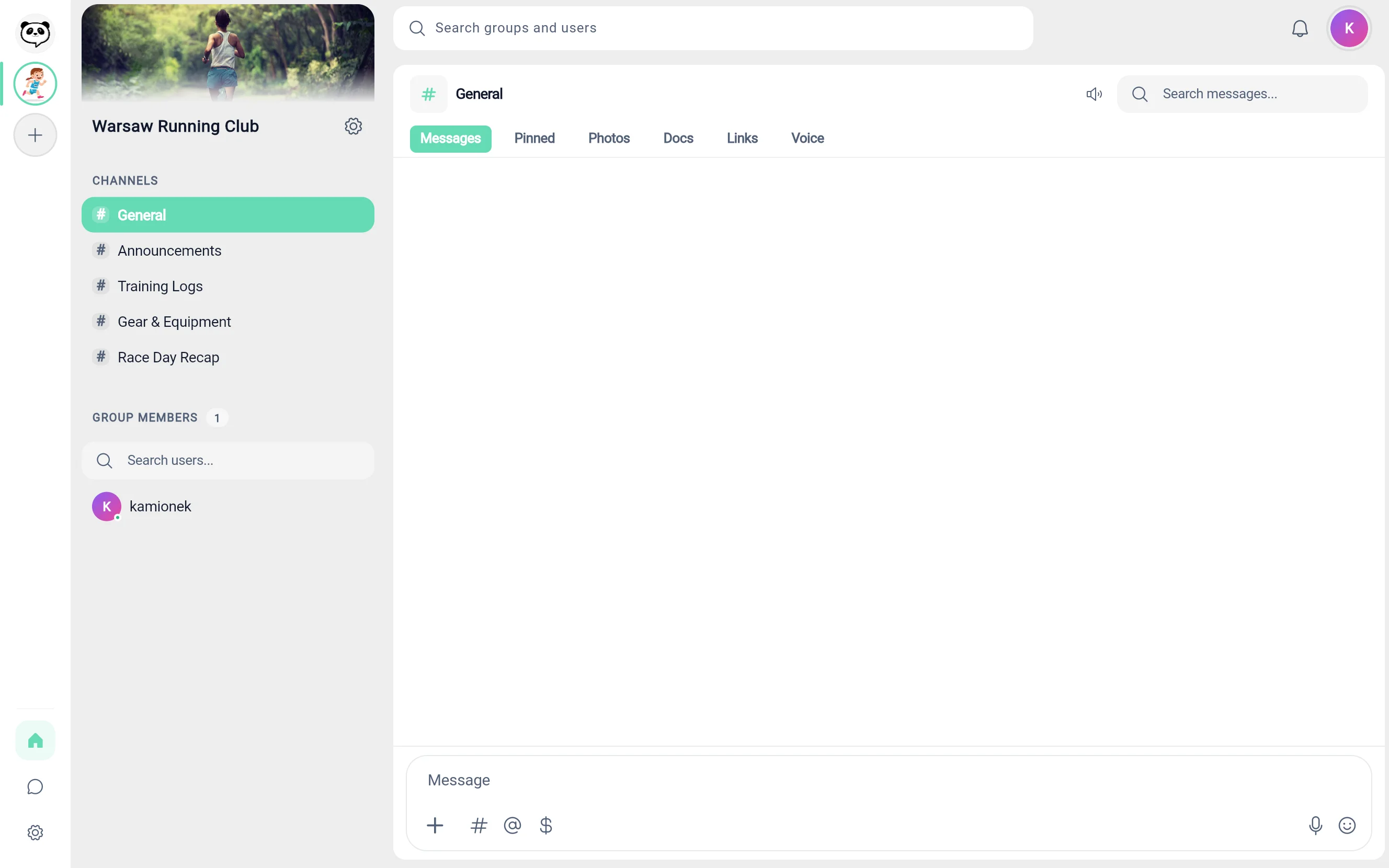
Messages and files are not deleted automatically, and nothing expires on a timer. They go only when someone deletes them. On the free plan you can search messages within a channel across its whole history, with no 90 day window in front of it.
Is Slack free for nonprofits?
Yes, and that deserves saying plainly before anything else on this page. If you qualify, Slack is a genuinely good deal and we are not going to pretend otherwise.

Free Pro up to 250 members, 85% off above that
Slack offers workspaces with 250 or fewer members a free upgrade to Pro, and an 85% discount for larger ones. Business+ is 85% off at any size. If that is you, stop reading and go and apply.
It runs on charitable status, not on good intentions
Eligibility goes through a tax authority, a national charity commission or TechSoup. You prove the status before the discount applies.
And the exclusion list is long
The programme excludes political and religious organizations, schools, colleges and alumni groups, government offices, hospitals and private foundations.
Which is where a lot of communities actually sit
A parish group, a school club, a university society, a youth team attached to a hospital. None of them qualifies, and each pays the ordinary per user price. For those groups the honest answer to the heading above is no.
And in Groupanda
There is no nonprofit programme to apply to and no status to prove. The free plan is the same for a registered charity and for a parish group. On a paid group, Groupanda keeps its standard platform fee of 6%, and there is no separate rate for nonprofits.
How much does Slack cost per user?
Slack: per user, per month
Slack has three paid plans. Pro and Business+ are priced per user per month, and lower if you pay annually. For Enterprise+, the pricing page sends you to sales. The bill follows headcount: Slack bills a paid workspace for every active member. That is the complaint behind every search for a cheaper alternative to Slack.
We deliberately print none of Slack's figures here. On the day we read its pricing page, a time-limited discount was running, so any number we printed could be stale by the time you arrived. Open Slack's pricing page to see its current prices.
Groupanda: nothing per member
The free plan carries no per-member charge at all. On a paid group the member pays the price you set. Out of that payment, Groupanda keeps a 6% platform fee. Stripe's processing fee is deducted from your payout. Nothing is added on top of what the member pays. Stripe Connect pays out to the United States, the United Kingdom, the European Union, Norway, Liechtenstein, Canada, and Switzerland.
We do not print a Stripe rate either. It depends on the card and the currency, so one number would be wrong for someone.
Groupanda and Slack, row by row
Every row is a fact, and the rows Slack wins are in the table too. Sources and dates are under it.
| What you are comparing | Groupanda | Slack |
|---|---|---|
| How you are billed | Nothing per member. On a paid group, a 6% platform fee out of each payment. | Pro and Business+: per user, per month, at a lower rate if you pay annually. Enterprise+: through sales. A paid workspace is billed for every active member. |
| Paid access for your members | Built in. Members subscribe, and access follows the subscription. | Slack bills the workspace for its active members. None of the Slack pages we read on 28 September 2026 describes members paying for access. |
| History on the free plan | Searchable within a channel, with no 90 day window. | The last 90 days are visible. Older messages are hidden to make room for newer ones. |
| Old data on the free plan | Not deleted automatically. Messages and files go only when someone deletes them. | Messages and files more than one year old will be permanently deleted, on a rolling basis since 26 August 2024. |
| Nonprofit pricing | No programme and no status to prove. No separate rate for nonprofits. | Free Pro up to 250 members for a registered charity, 85% off above that. Slack wins this row, unless your group is on its exclusion list. |
| Apps and integrations | None. | A large app directory, and 10 apps on the free plan. Slack wins this row. |
| Voice, video, screen share | None. Text, photos, documents and voice messages, with no calls, video or screen share. | Huddles, one to one on the free plan and group huddles on paid ones. Slack wins this row. |
| Workflows and automation | None, apart from access opening with the payment and closing when a subscription's paid period runs out. | Workflow Builder on paid plans. On the free plan existing workflows stop working. Slack wins this row. |
| Roles and permissions | Owner, admins and members. Each channel is open to every member, or limited to the plans you choose. | Workspace roles and admin controls, with policy and compliance tooling higher up. Slack wins this row. |
| People outside the group | You invite them as members, with the group's invite link. | Slack Connect on paid plans. On the free plan, work with outsiders is one to one in DMs. |
| Guests | Owner, admins and members, with no separate guest role. | Guest accounts on paid plans. On the free plan they are deactivated. |
| Channels and threads | Channels, where you reply with a quote and search messages within the channel. No threads. | Channels and threads, with searchable history. Slack wins this row. |
| Apps you can install | Web, iOS, Android. | Web, iOS, Android, Windows, macOS, Linux. Slack wins this row on desktop. |
Both columns are dated. The Slack column comes from the pages below. None of them carries a date of its own, which is said here rather than filled in with the date we read it. The one date Slack states anywhere in the set is 26 August 2024, and it sits inside the first source, on the one year rule. Each line gives the day we read the page. The Groupanda column describes Groupanda on 24 September 2026.
Sources
- Slack, Usage limits for free workspacesThe 90 day window, the one year rule dated 26 August 2024, and the 10 app limit. The page carries no date of its own; read 28 September 2026.
- Slack, Feature limitations on the free version of SlackSlack Connect, huddles, workflows and guests on the free plan. No date of its own; read 20 September 2026.
- Slack, Slack for NonprofitsThe free upgrade up to 250 members, the 85% discount, and the exclusions. No date of its own; read 28 September 2026.
- Slack, PricingThat Slack has three paid plans, that Pro and Business+ are priced per user per month, and that Enterprise+ goes through sales. No date of its own; read 28 September 2026.
- Slack, Slack's Fair Billing PolicyThat a paid workspace is billed for its active members. No date of its own; read 28 September 2026.
When Slack is the better choice
Plenty of groups belong on Slack, and a comparison that pretends otherwise is not worth reading. Stay where you are if any of this is you.
- You are a registered charity with 250 members or fewer, so Slack Pro costs you nothing.
- Your day runs on integrations, and the tools your work depends on already have a Slack app.
- You rely on threads, huddles or screen share, and Groupanda has none of them.
- You need enterprise administration: policy controls, compliance exports, single sign on.
- Your group is a team rather than a membership, so nobody was ever going to pay to get in.
Groupanda earns its place in the other case. The group is a community rather than a company, the history has to outlive the free plan, and the members are the ones paying.
If Discord is also on your list, the fees on a paid Discord server are compared row by row in the same way. For more tools side by side, see the lists of Slack alternatives for private communities and Discord alternatives for private communities. For the two chat tools head to head, see Slack vs Discord.
What does Groupanda cost?
Groupanda is free to use, with no member limit and no charge per member. On a paid group the member pays the price you set. Out of that payment, Groupanda keeps a 6% platform fee. Stripe's processing fee is deducted from your payout. Nothing is added on top of what the member pays, and there is no monthly charge. Stripe Connect pays out to the United States, the United Kingdom, the European Union, Norway, Liechtenstein, Canada, and Switzerland.
Questions people ask before moving
Is Slack free for nonprofits?
For a registered charity, yes: Slack offers a free Pro upgrade to workspaces with 250 or fewer members, and an 85% discount above that. The programme runs on proven charitable status. It excludes political and religious organizations, schools, colleges and alumni groups, government offices, hospitals and private foundations. A parish group or a school club does not qualify.
What happens to messages older than 90 days on a free Slack workspace?
They are hidden rather than deleted, and they come back if the workspace upgrades. Separately, Slack says messages and files more than one year old will be permanently deleted from free workspaces, a rule that has applied since 26 August 2024.
How much does Slack cost per user?
Slack has three paid plans. Pro and Business+ are priced per user per month, and lower if you pay annually. For Enterprise+, the pricing page sends you to sales. This page prints no figure on purpose, because a time-limited discount was running on the day we read it.
Can I move a community from Slack to Groupanda?
Yes. Create the workspace, rebuild the channels people actually use, and invite members with the group's invite link. Turn on paid access when you are ready, if you are in a payout country. Stripe Connect pays out to the United States, the United Kingdom, the European Union, Norway, Liechtenstein, Canada, and Switzerland. There is no import tool, so export anything you want to keep from Slack while it is still inside the visible window.
When is Slack still the better choice?
Five cases. You qualify for its nonprofit programme. Your day depends on workplace integrations. You rely on threads, huddles or screen share. You need enterprise administration and compliance. Or your group is a team rather than a paying membership.
Last updated:
A community is not a team, and it should not be billed like one
Create a workspace, invite your members, and turn on paid access when you are ready. Nothing to install, and no card needed to start.